Downloads
The Downloads Window is designed to provide users with an interface for managing and viewing downloads. It includes the following components:
1 Search Field
A search field that helps users search for specific downloads by name.
2 Download List
Displays the list of downloads with the following columns:
- Name
- File name (Name of the package name)
- Status (Status of the download (in process, error, ready to download))
- Document count (Number of documents in the package)
- Process (Name of the download process)
- Start Date
- Finish Date
- Size (ize of the package in bytes)
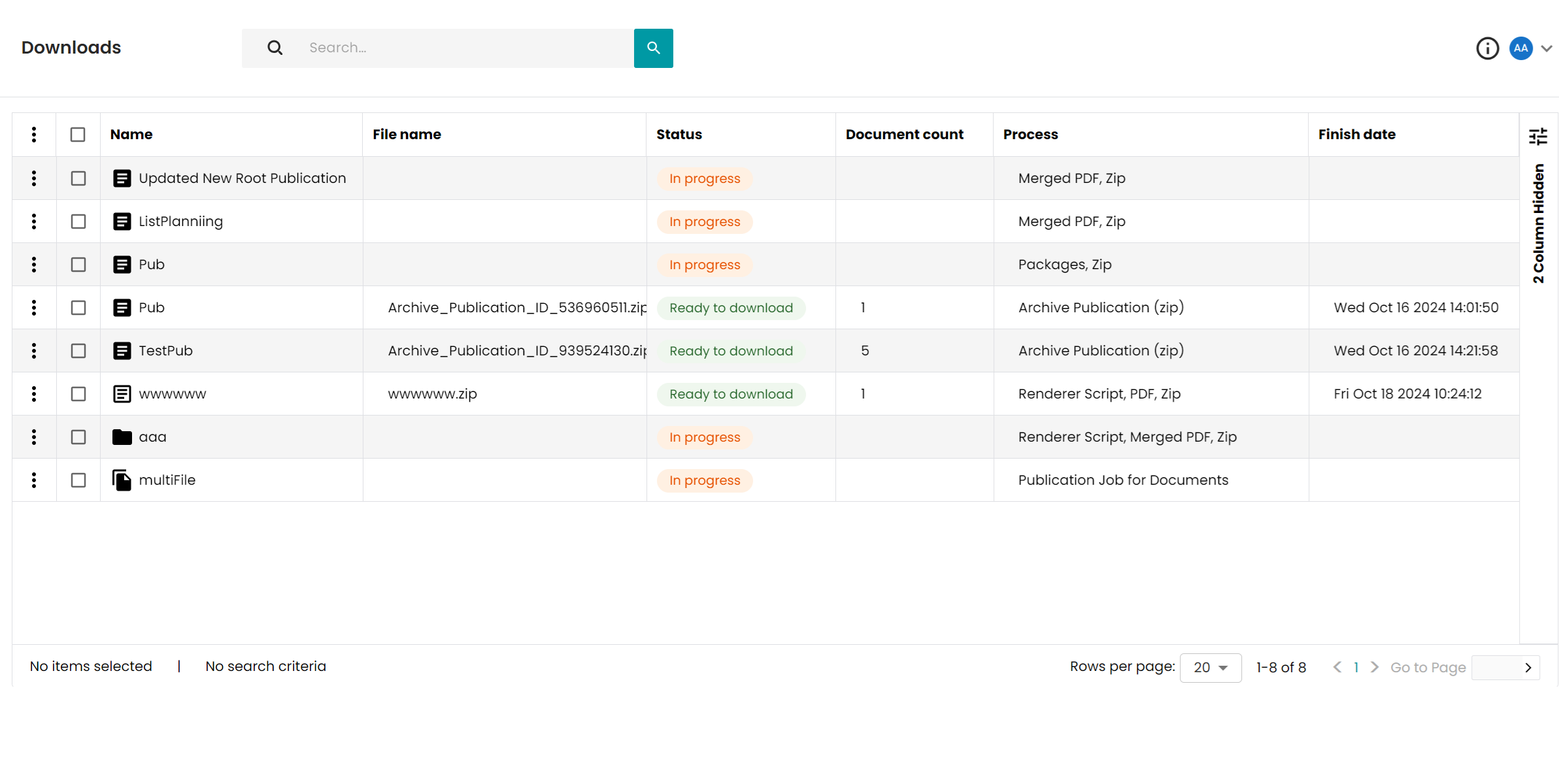
Users can select a download from the grid and using the three-dot context menu available for each download can:
- Show diagram (except downloads in status "Ready to download")
- Delete (except downloads in status "In progress")
- Download (only downloads in status "Ready to download")